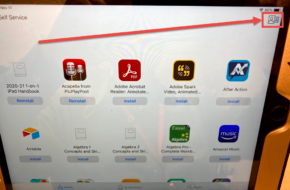
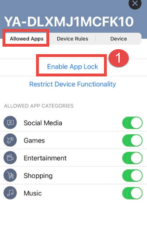
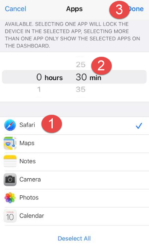
Parent Resources Quick Links Immigration Rsources Lunch Program Silent Dismissal Infinite Campus Student & family Handbook Master Calendar Learning Resources Lexia Core5 Language Access Plan 1. Download and open the JAMF Parent app on your phone or other mobile device.2. Open the Self Service app on the school iPad and press the upper right corner to get the QR code, then use your phone to scan the QR code. 3. Your phone will show the iPad name on the list, choose it, and press enable app lock. 4. Pick YouTube and Safari/Chrome and limit their time. Here are the detailed instructions for JAMF Parent:https://www.jamf.com/ resources/product-documentation/jamf-parent-guide-for-parents/ Click here